In one of my previous post I shared a step by step article about how to install android apps on your phone or tablet but too many applications can down the speed of your phone and net if you have installed too many apps on your android phone then its good time to check what you have installed and if you found some apps which are not in use then you should remove it from your phone. So, today’s article will explain you how you can remove / uninstall android applications from your android smartphone or tablet easily. Well, it isn’t as difficult task as it sounds, just needs 1-2 taps then it will be done.
Recommended for you:
How do I remove Facebook contacts from android phone?
First of all navigate to settings then you will see options for settings but you have to choose “application manager” or “application manage” option from the list.
Tap on “Application manager” to open application management area, there you will see all your application you have installed on your device.

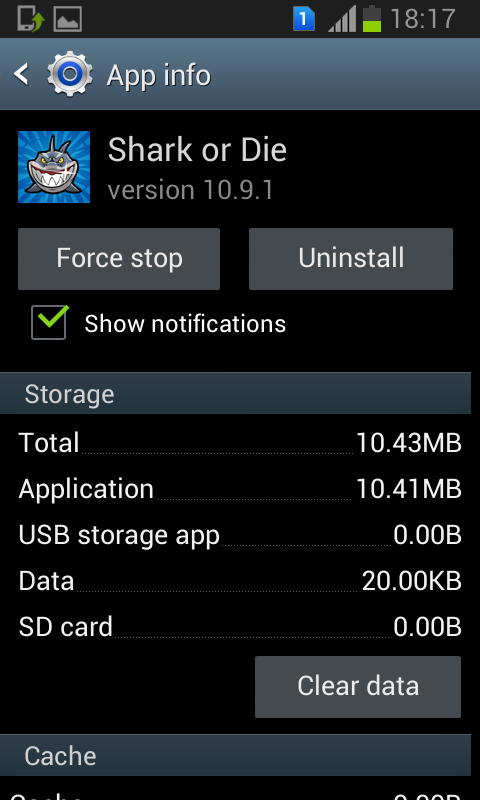
Now, tap on the app you want to delete, and tap on “Uninstall” (if you are not enable to find “Uninstall” option then its a system app that you probably cannot remove.)
That’s it!